For families with one iPad and more than one kid
One iPad. Every kid gets their own time.
OnePad Kids gives each child a profile with their own daily limit, their own apps and their own PIN. Their minutes only count while they play, and their apps lock when time is up.
7-day free trial · Works on iPadOS 18 and later
Screen Time was built for one person per device.
When siblings share an iPad, Apple’s limits apply to whoever is holding it. One child uses up the time, the other gets nothing, and you end up refereeing.
One limit for everyone
Built-in limits can’t tell siblings apart on a shared iPad.
Timers that keep running
Kids forget to stop a timer, so the clock runs while nobody plays.
Parents as referees
“It’s my turn!” shouldn’t need a grown-up every afternoon.
How it works
Tap your card, type your PIN, play.
-
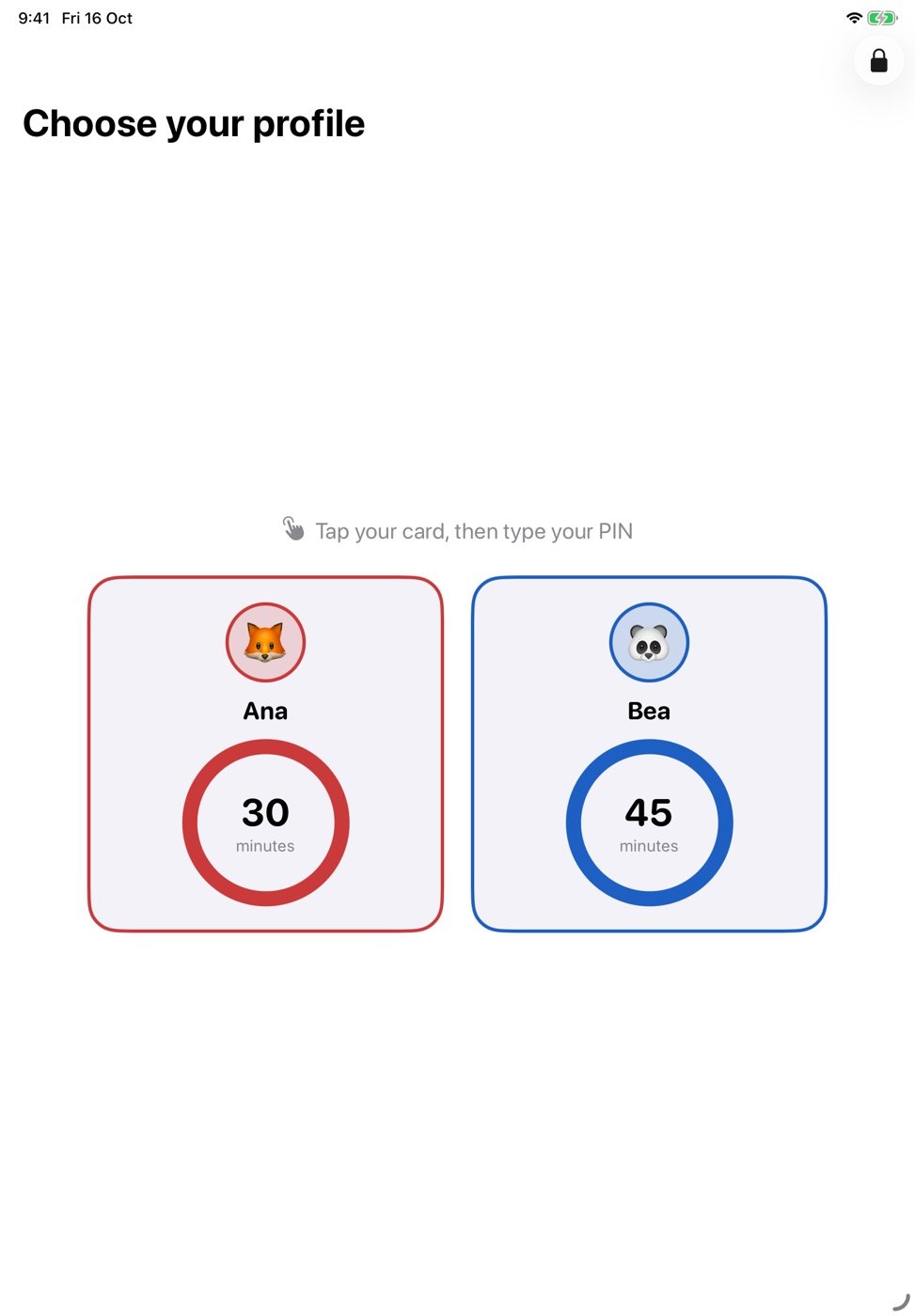
Pick your profile
Each child sees their own card with the minutes they have left today.
-
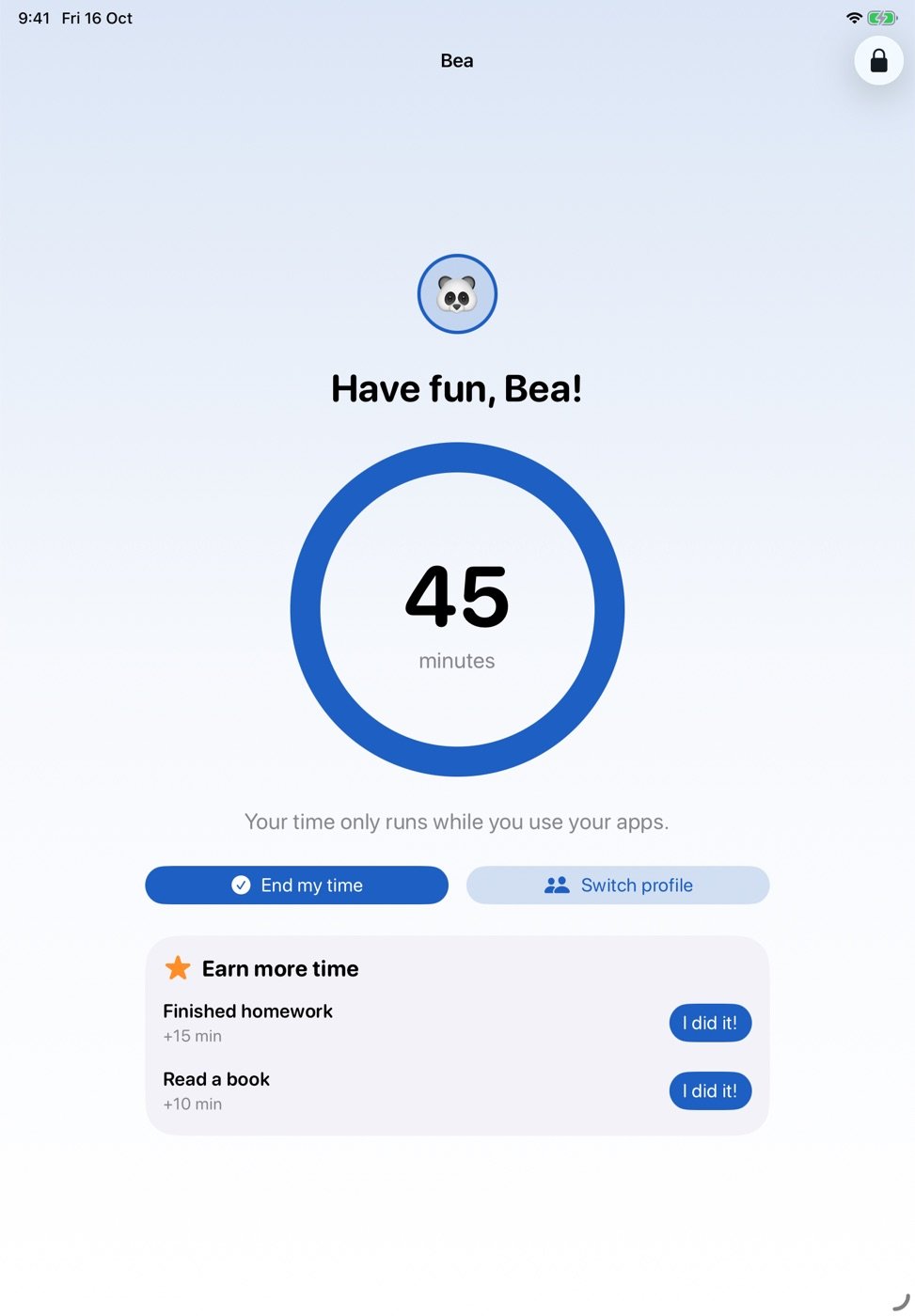
Your time, your apps
Only their apps open. The ring counts down only while they actually use them.
-
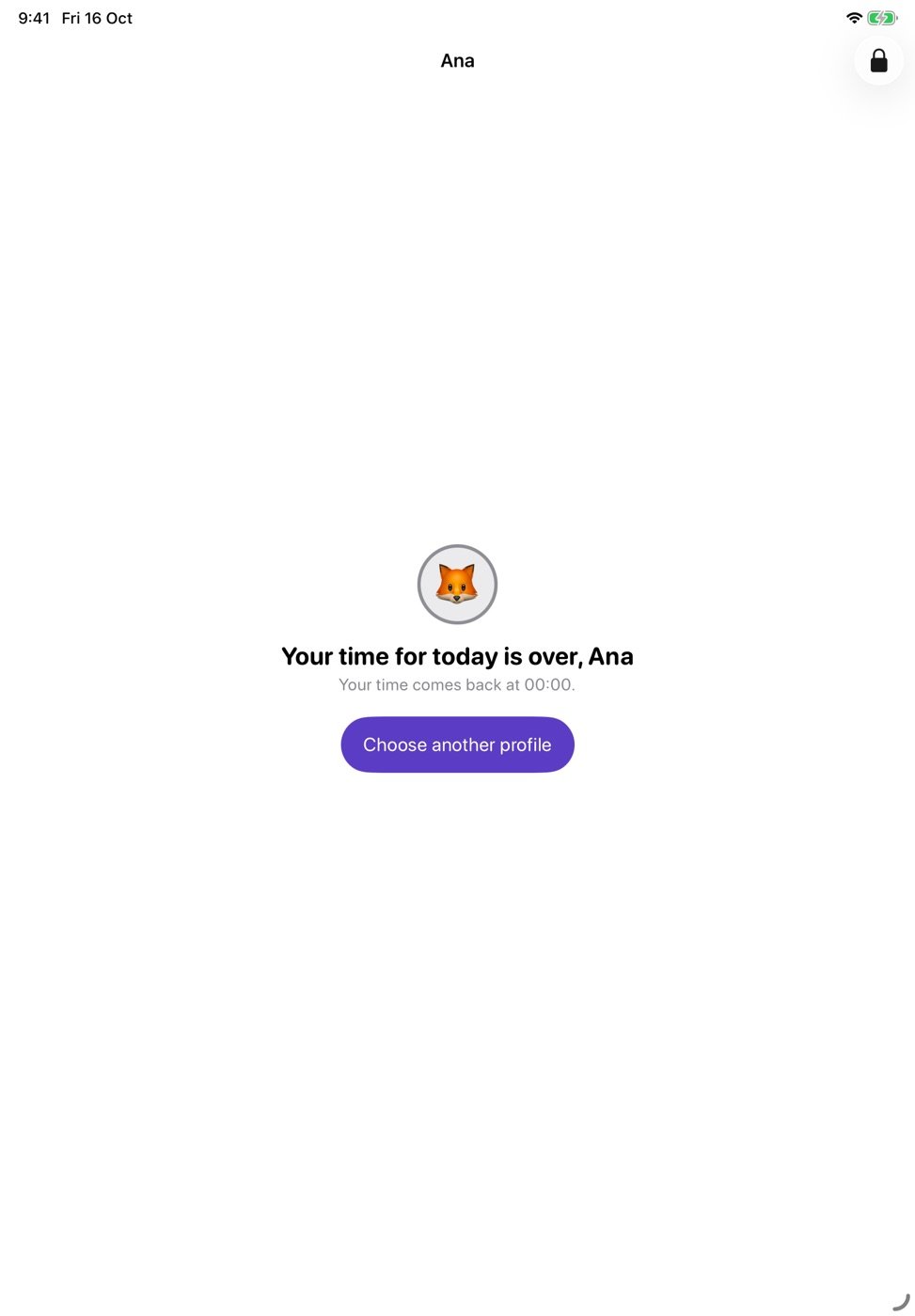
Time’s up, kindly
Warnings at 5 and 1 minute, then their apps lock until tomorrow’s reset.
Features
Fair for each kid. Easy for you.
-
A daily limit per child
Different minutes for each child and each day of the week.
-
Their own apps
Pick apps or whole categories for each profile. Everything else stays locked.
-
Ends by itself
Forgot to finish? After 15 minutes without playing, the session closes on its own.
-
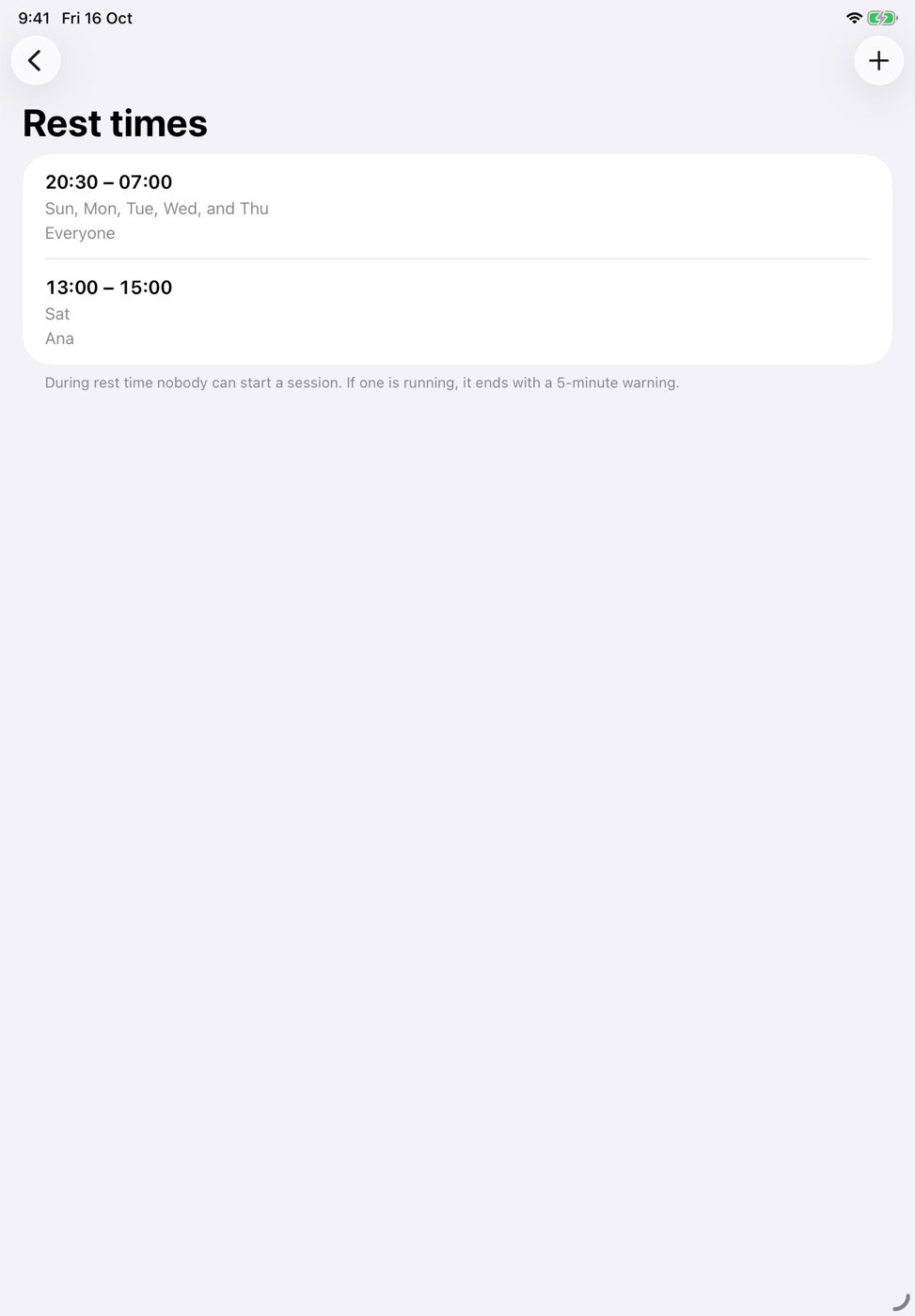
Rest times
Set bedtime or homework hours when no profile can start.
-
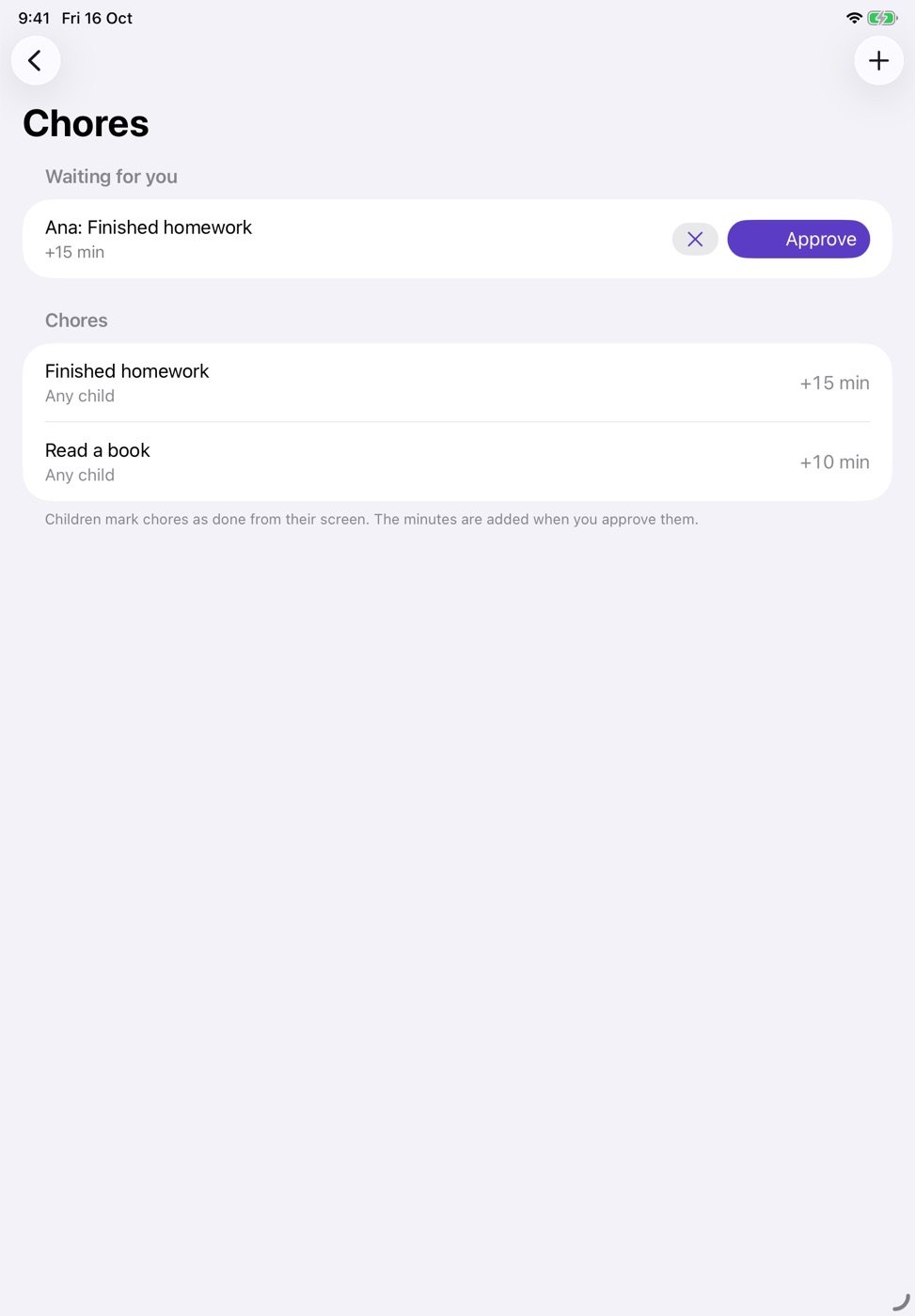
Earn more time
Chores that add minutes once you approve them. Unused weekday time can roll into the weekend.
-
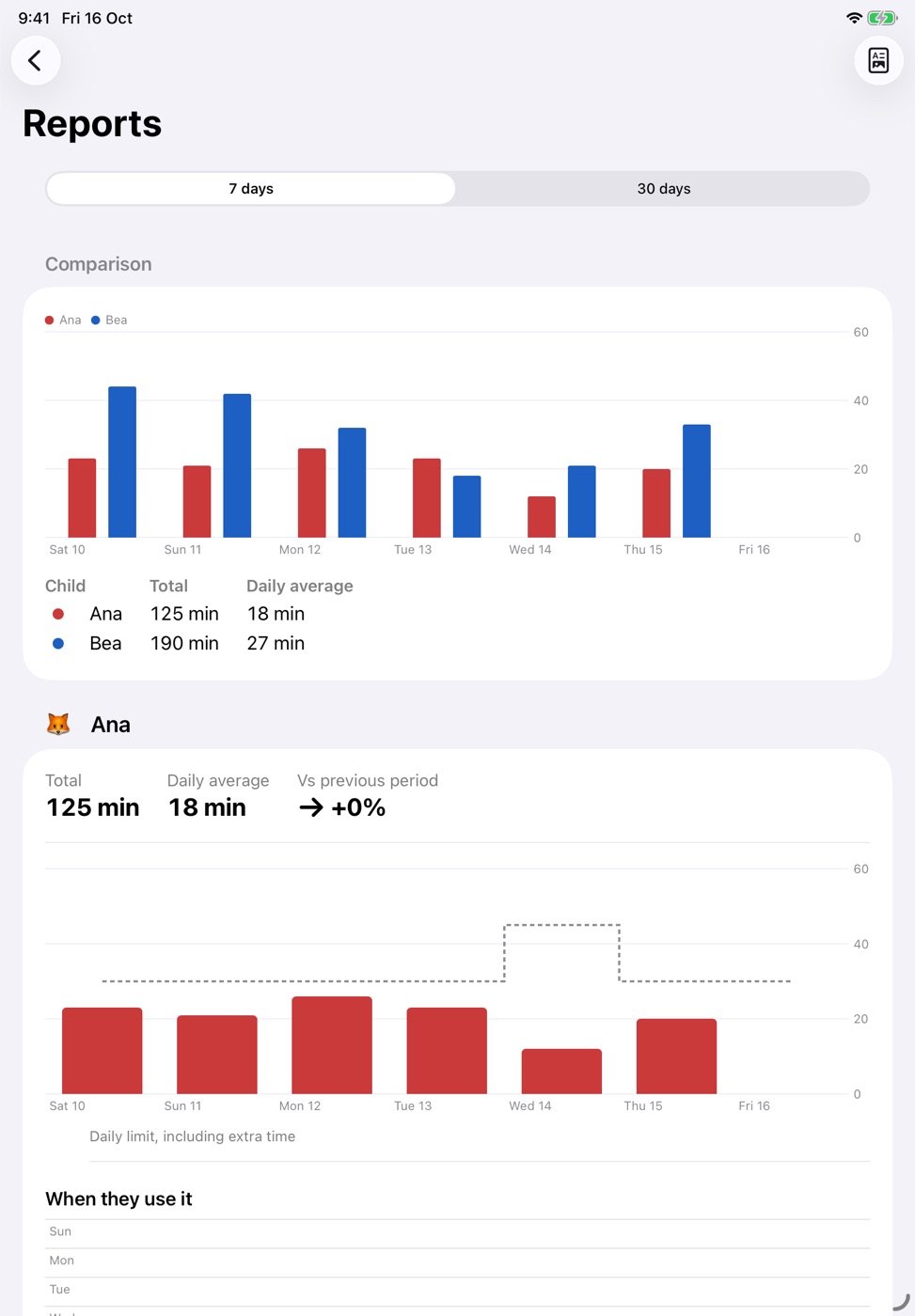
Clear reports
7 and 30 day charts, a weekly heatmap and a PDF you can share.
-
Always-allowed apps
School and reading apps never lock and never use up minutes.
-
Parent mode
Face ID or a master PIN to add minutes, change rules or unlock the iPad.
For parents
Everything you need, behind Face ID.
See who played and for how long, give a few bonus minutes for finished homework, and set rest times in seconds.
Private by design
Your kids’ data stays on your iPad.
- No accounts and no sign-up.
- No ads, no tracking and no third-party analytics.
- App usage comes from Apple’s Screen Time, which keeps it private, even from us.
Pricing
One plan covers every child on the iPad.
Start with a 7-day free trial. Choose yearly, monthly or a one-time lifetime purchase. Prices appear in the App Store in your currency.
- Unlimited profiles (up to 6 kids)
- Every feature included
- Shared with your Family Sharing group
- Cancel anytime in Settings
Questions
Frequently asked questions
Does it work if my kids share one iPad and one Apple Account?
Yes. That’s exactly what it’s for. Each child gets a profile with a PIN inside OnePad Kids, so it doesn’t matter which Apple Account the iPad uses. For the strongest protection, sign the iPad in with a child’s Apple Account in your Family Sharing group.
What happens when a child’s time runs out?
They get a notice 5 minutes and 1 minute before, then their apps lock with a Screen Time shield. Their full time comes back at the reset hour you choose, midnight by default.
What if my child forgets to end their time?
Time only counts while they use their apps. If they stop playing for 15 minutes, the session ends by itself, even if they never tapped “End my time”.
Can one sibling use another sibling’s minutes?
No. Each profile has its own PIN, and only that child’s apps open during their session.
Do you collect any data?
No. There’s no account, and profiles, history and settings stay on the iPad. App usage is measured by Apple’s Screen Time, which doesn’t share it with apps.
Which iPads are supported?
Any iPad that runs iPadOS 18 or later.
What happens if I cancel?
OnePad Kids stops locking the iPad and stops counting time. Your profiles and history stay on the iPad in case you come back.
Less refereeing. More fair turns.
Try OnePad Kids free for 7 days.